Someone Told Me My Site Looks Dated. Should I Listen?

TL;DR
Listen to the specific claim, not the label. “Dated” can mean three different things: the site looks old, the information on it is no longer accurate, or something no longer works the way it should. The second and third are concrete, you can check most of them yourself, and they can usually be fixed on the site you already have. The look can matter too, but judge it against your own clients and purpose, not a stranger’s sales email. A full redesign is rarely the first answer.
The Comment That Won’t Leave You Alone
It usually arrives when you’re doing something else. An email that says, “I noticed your website is outdated.” A contact-form message from someone who seems to be a potential client until the second paragraph, where they mention they “ran an analysis” of your site. A DM from someone you’ve never met. Or something smaller and harder to shake: a friend who says, kindly, that the site “could use a refresh,” or your own hesitation the last time you sent someone the link.
However it reached you, now there are two worries sitting side by side. Maybe it’s true, and your site has been quietly making you look less established than you are. Or maybe someone is trying to sell you a rebuild you don’t need, and the word “dated” is doing the selling.
Both worries are reasonable. The trouble is that “dated” is too vague to act on. Before you decide anything, it helps to figure out what the comment could actually mean.
“Dated” Is Three Different Things
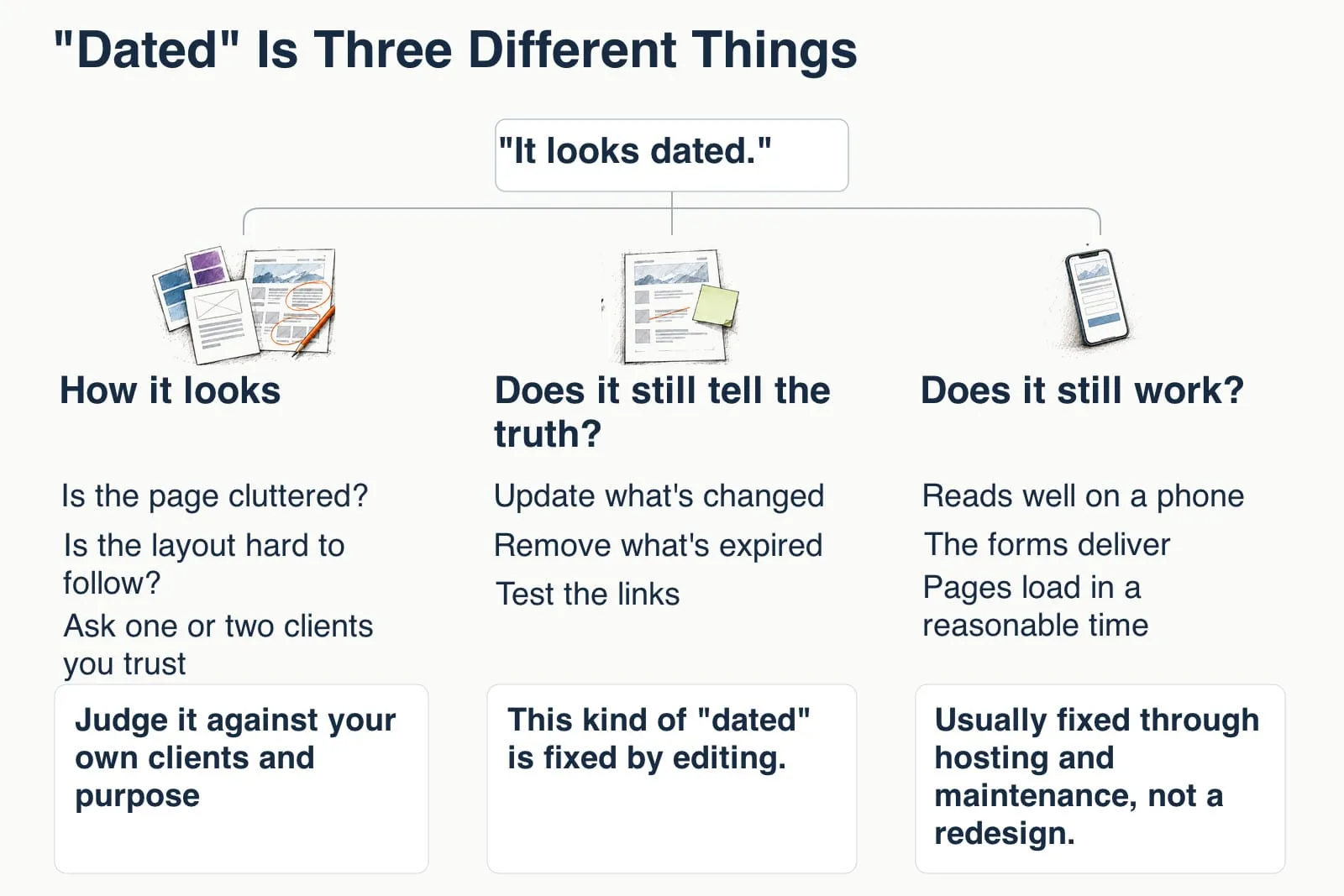
When people say a website looks dated, they might mean one of three things, and they need very different responses.
The first is how it looks: the colors, fonts, layout, and images feel like they belong to an earlier era of the web. The second is whether it still tells the truth: the services, prices, dates, team, and contact details reflect your business today. The third is whether it still works: it reads well on a phone, the forms deliver, the pages load in a reasonable time, and the software underneath it is maintained.
Most comments blur these together. A visitor who finds an expired announcement may call the site “old” even if the design is fine, and someone selling redesigns may call an accurate, working site “outdated” because that’s the hook in their template. Sorting the comment into one of these three questions turns a vague worry into something you can check.
I’d start with the last two because you can check them directly.
Does It Still Work?
This is the least glamorous meaning of “dated” and often the most important. Open your site on your phone, the way a new client would, and try to do the thing you most want people to do: read about your services, book a call, fill out the form. If the text is tiny, the menu doesn’t open, or you have to pinch and zoom to read anything, that’s a real problem, and it’s one worth fixing.
Google treats this as part of page experience. Its documentation asks whether your pages display well on mobile devices, are served securely, and have good Core Web Vitals, the metrics for loading speed, responsiveness, and layout stability. It also says something worth remembering when someone sends you a score: there’s no single page experience signal, a good score doesn’t guarantee rankings, and trying to get a perfect score just for SEO reasons “may not be the best use of your time.” You’re looking for a site that works for people, not a number that impresses a stranger.
If a pitch quotes a “mobile-friendly test,” Google retired that tool in December 2023, though it still says mobile usability matters. For a free, current check, type pagespeed.web.dev into your browser yourself and enter your address.
Then there’s the part you can’t see from the front of the site: the software. WordPress itself, your theme, your plugins, and the version of PHP your host runs all need to be kept current. WordPress.org notes that older PHP versions have reached their official end of life and may expose your site to security vulnerabilities. You can see your PHP version and other warnings under Tools, then Site Health, in your dashboard. This kind of “dated” is real, it’s specific, and it’s usually fixed through hosting and maintenance, not a redesign.
If you want the fuller version of these checks, How Do I Know If My Website Is Actually Healthy? walks through them one by one.
Does It Still Tell the Truth?
This is a meaning of “dated” you can check against your business today. A site can have a perfectly nice design and still say “Spring 2022 cohort now enrolling.” It can list a service you stopped offering, a price you changed, a team member who moved on, or a phone number nobody answers. It can have a blog whose last post is three years old, a broken link on the About page, or a typo in the headline.
Each of those is small. Together, they tell a visitor that no one is paying attention, and that’s a trust problem.
The research on web credibility has been saying this for a long time. Stanford’s Guidelines for Web Credibility, compiled from research with more than 4,500 people, include making it easy to contact you, showing that real people stand behind the site, and updating content often, or at least showing it’s been reviewed recently, because “people assign more credibility to sites that show they have been recently updated or reviewed.” The same guidelines warn that typos and broken links hurt credibility “more than most people imagine.” That guidance dates from 2002. It offers a useful starting point, rather than a current measure of visitor behavior.
A small 2004 study of people choosing health-information sites found that design problems tended to drive early rejection, while credible, relevant information supported trust. That is a useful distinction to consider here. It isn’t a current measurement of how clients choose a service business.
This kind of “dated” is fixed by editing. Read your main pages as if you’d never seen them, update what’s changed, remove what’s expired, test the links, and make sure someone who wants to reach you can. None of that requires a new site.
Does the Look Actually Matter?
Yes, sometimes. I don’t want to wave this part away, because the research doesn’t.
People form an impression of a site’s visual appeal fast. In a set of studies published in 2006, participants rated homepages they had seen for just 50 milliseconds, and those ratings closely matched their ratings of the same pages shown ten times longer. That study measured visual appeal, not trust or sales. It shows how quickly a visual opinion can form in those study conditions. In a 2003 Stanford study where 2,684 people evaluated the credibility of real websites, “design look” was the thing mentioned most often, in 46.1% of their comments.
What’s interesting is what “good looking” seems to mean. A 2012 study found that people gave the highest first-impression ratings to sites with low visual complexity and a familiar layout for that kind of site. It tested complexity and familiarity, rather than whether a design was trendy. For your site, that gives you something specific to check: is the page cluttered, or is the layout hard to follow? If so, simplifying the page may be a useful first step. It doesn’t automatically point toward starting over.
The better judge of whether your look is a problem is your own audience. Ask one or two clients you trust whether the site felt clear and current when they first found you. That answer is worth more than any stranger’s opinion, because they’re the people the site is for.
There are times when visual work, or even a rebuild, is the sensible choice. If the site is hard to read on a phone and the theme can’t be adapted, if you’re afraid to update it because things break, if it no longer fits how your business works, or if clients keep telling you it confused them, those are real reasons. They’re also specific reasons, which is the point. “It looks dated” is where a conversation starts, not a diagnosis.
If the “Someone” Was a Cold Pitch
A lot of the time, the comment didn’t come from a client or a friend. It came from an email you didn’t ask for.
“Your website is outdated” is a common prospecting line. Many of these messages go out in bulk, sometimes with an automated list of “issues” attached, and they don’t reflect anyone studying your business. In small-business forums, owners describe a steady stream of them, often nearly identical, sometimes disguised as an inquiry from a potential client.
Google itself tells site owners to be wary of SEO firms and web consultants or agencies that email you out of the blue. The same page says no one can guarantee a #1 ranking, and that a small local business can probably do much of its own SEO work. Google also notes that third-party tools don’t have access to its internal ranking data and can’t guarantee performance, so a scary-looking report from an outside tool is someone’s interpretation, not Google’s verdict.
You don’t have to reply, argue, or click anything to make the email go away. The FTC’s general advice for small businesses applies here: don’t let anyone rush you, and don’t click links or open attachments in unexpected emails. If a company interests you, look it up on your own and ask people you trust about it.
A cold pitch isn’t automatically a scam. It can still contain a true observation. If a specific claim in the email worries you, check that claim your own way. Open the site on your phone. Run PageSpeed Insights by typing the address yourself. Look at Site Health in your dashboard, or Search Console if you use it. If the email said your mobile layout is broken and it isn’t, you’re done. If it is, you’ve learned something useful without handing anyone your time or your login.
If the message felt more like a threat than a pitch, warning about security, an expiring account, or disappearing from Google, I Got an Urgent Warning About My Website. Is It Real? goes through how to handle that kind.
What a Credible Reviewer Actually Shows You
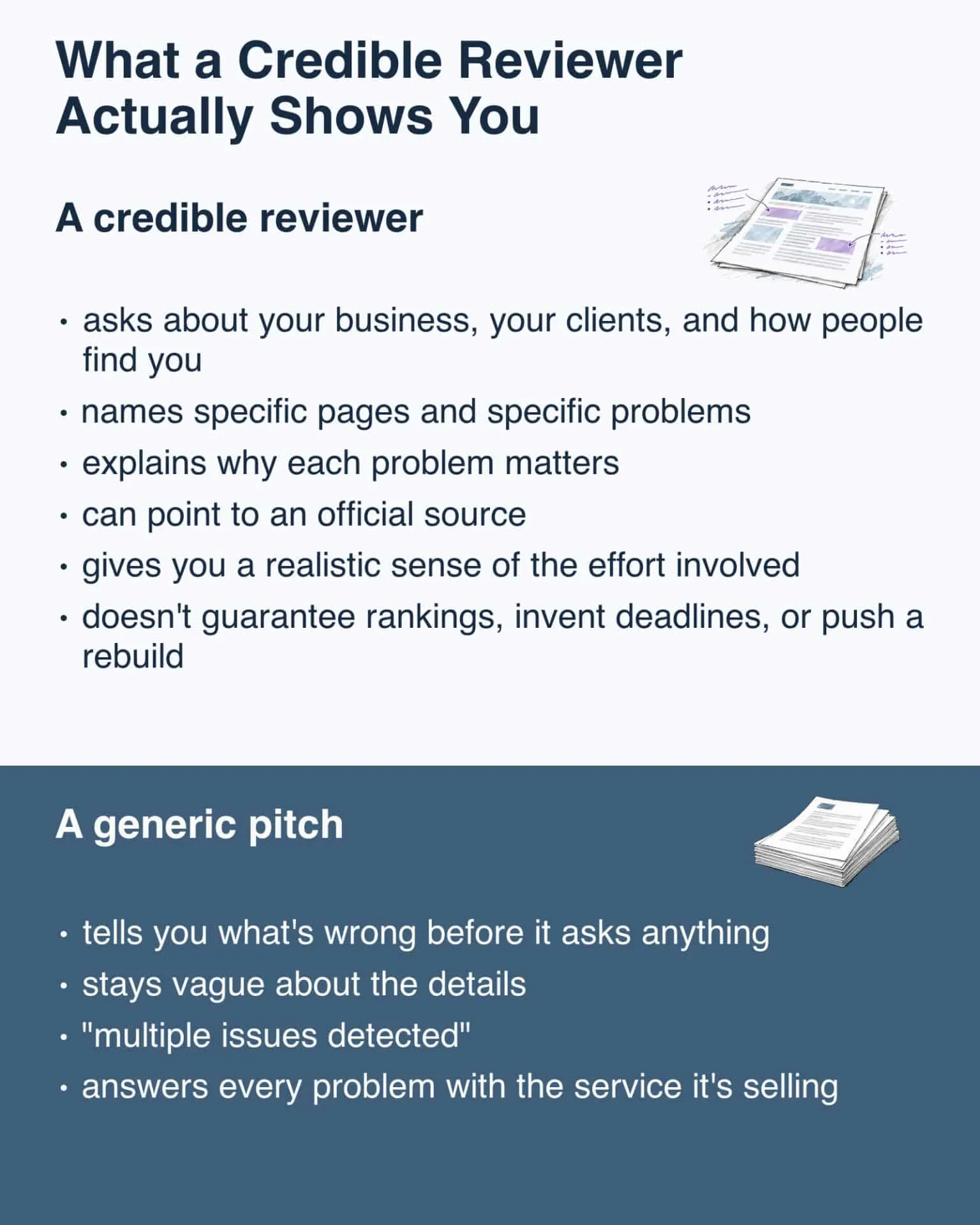
There’s nothing wrong with an outside opinion on your site. What matters is what that opinion looks like, and Google’s advice on hiring help describes it well.
A credible reviewer:
- asks about your business, your clients, and how people find you before telling you what’s wrong
- names specific pages and specific problems, not “multiple issues detected”
- explains why each problem matters to the people visiting your site
- can point to an official source, such as Google’s documentation or your Search Console data, when they make claims about search
- gives you a realistic sense of the effort involved and what might improve
- doesn’t guarantee rankings, invent deadlines, or push a rebuild before they understand what you need
A generic pitch usually does the opposite. It tells you what’s wrong before it asks anything, stays vague about the details, and answers every problem with the service it’s selling.
The Comment Is a Prompt, Not a Verdict
Someone telling you your site looks dated doesn’t mean you need a new website. It means it’s worth taking a look. Check that the site works, especially on a phone. Make sure it still tells the truth about your business. Then decide, with your own clients in mind, whether the look is getting in the way. Start with those specific checks before deciding whether you need a new site.
If you’ve gotten a pitch or a comment about your site and you can’t tell whether it’s right, send it to me and tell me what’s going on. I’ll help you sort out which part, if any, deserves your attention, and which part you can let go.
Frequently Asked Questions
What does it mean when someone says my website looks dated?
It can mean three different things: the design feels old, the information on the site is no longer accurate or current, or something no longer works well, such as the mobile layout, a form, page speed, or the software underneath. If a client or peer made the comment, ask what they noticed. If it came in a cold pitch, you can check the claim without replying. The accuracy and function problems are usually the most concrete and the easiest to fix on the site you have.
Does an old-looking website hurt my Google ranking?
Google’s page experience guidance doesn’t talk about visual style. It asks whether pages display well on mobile, load and respond well, and are served securely. If an older-looking site does those things, its look isn’t the part to worry about for search.
Should I reply to an email saying my website is outdated?
You don’t need to. Google advises being wary of SEO firms and web consultants who email out of the blue. If a specific claim in the email concerns you, check it yourself without using the sender’s links, or bring it to someone who already knows your site.
How can I check whether my website is outdated myself?
Open it on your phone and try to do what a new client would do, like reading about your services or filling out your form. Run PageSpeed Insights by typing pagespeed.web.dev into your browser. Look at Tools, then Site Health, in your WordPress dashboard for software and PHP warnings. Then read your main pages for anything that has changed or expired, and test the links.
How do I know if my site really needs a redesign?
Look for specific reasons rather than a general feeling: the site is hard to use on a phone and can’t be adapted, you can’t update it without things breaking, it no longer fits how your business works, or clients tell you it confused them. Outdated content, broken links, and missed updates are usually fixed on the existing site.
Sources
- Lindgaard et al. (2006), “Attention web designers: You have 50 milliseconds to make a good first impression!” Behaviour & Information Technology
- Fogg et al. (2003), “How do users evaluate the credibility of Web sites? A study with over 2,500 participants,” DUX 2003
- Tuch et al. (2012), “The role of visual complexity and prototypicality regarding first impression of websites,” International Journal of Human-Computer Studies
- Sillence et al. (2004), “Trust and mistrust of online health sites,” CHI 2004
- Stanford Guidelines for Web Credibility
- Google Search Central: Understanding page experience in Google Search results
- Google Search Central Blog: The role of page experience in creating helpful content (2023)
- Google Search Central: Do you need an SEO?
- Google Search Central: Guidance on using third-party SEO tools, services, and advice
- WordPress.org: Requirements
- FTC: Scams and Your Small Business: A Guide for Business
- PageSpeed Insights